Postiz: scheduling social media posts from your own server
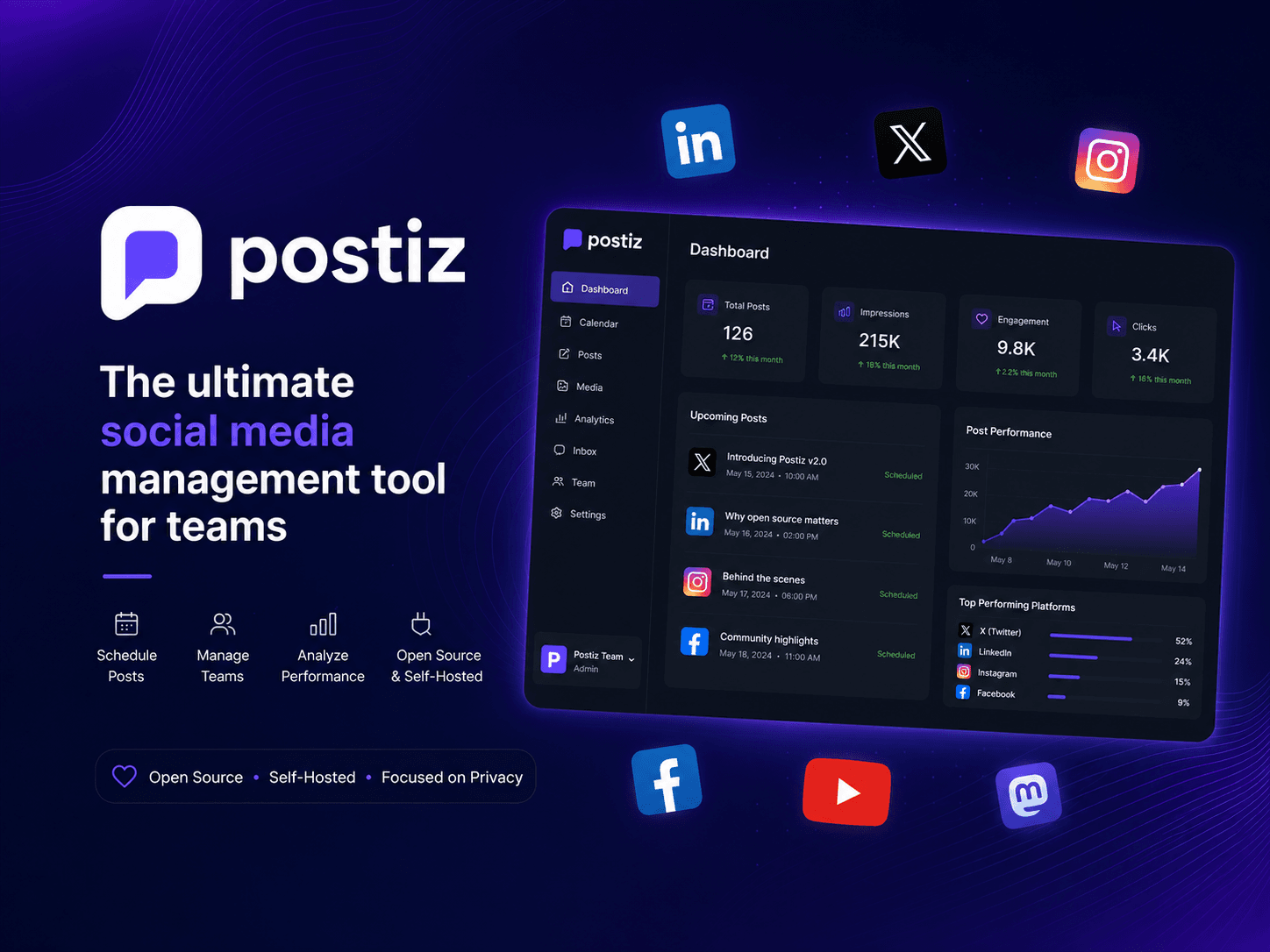
Postiz is an open-source tool for scheduling social media posts: you write once, pick channels and dates, and it publishes them. The same thing the paid services in this space do, with the difference that it runs on your server and the credentials of the connected accounts never leave it.
I set it up on my homelab's platform cluster. And the interesting part wasn't installing it, but realizing that a tool I use twenty minutes a week made no sense running the other one hundred and sixty-seven hours. So most of the time it isn't running: it sits at zero replicas until someone opens its address.
Here's what it does: a calendar, the connected channels on the left, and each post placed in its slot. The ones you see scheduled there are this very blog's articles — the same site where you're reading this is distributed from that screen.
Nothing a paid service doesn't do. The difference is where the credentials of the connected accounts live and who can read them, which for a small business is the only solid reason to self-host something like this.
What “free and self-hosted” doesn't include
This is where expectations need lowering, because it's the part that doesn't appear on any product page. The software being free and running on your server doesn't mean publishing comes free: it means the software doesn't charge you. The platforms do.
A tool hosted by someone else gives you the connected accounts and that's it, because whoever operates it has already done the dirty work: registering their application on each platform, passing the reviews and maintaining the credentials. When you self-host, that work becomes yours.
For each network you have to sign up on its developer portal, create your own application, declare what you want it for, configure the login callback URLs and request the publishing permissions. Some platforms review that request before granting it, and not all of them grant it on the first try. It isn't hard; it's tedious, and you have to repeat it as many times as networks you want to connect.
It's worth being clear about this before setting it up, because it changes the math. Self-hosting doesn't replace paying for a tool: it replaces paying for a tool to operate yours, and you still pay the platforms that charge for their API. What you gain is where the credentials live, what gets stored about your activity, and not depending on a service deciding to change its prices or shut down.
For me it's worth it for the former. If your only motive is saving money, that math may not work out for you.
What it costs to keep something running
Postiz isn't one application: it's five. The web app, a PostgreSQL database, a Redis, a workflow server and its Elasticsearch. That stack permanently occupies memory to serve a usage that is, being honest, sporadic.
On a managed server someone else pays for that. On your own hardware you pay in memory you can't dedicate to anything else, which in a homelab is the resource that runs out first.
Scale to zero, and make the first request wait
The piece is KEDA with its HTTP add-on. Instead of traffic going straight to the application, it goes to an interceptor that holds the first request, scales the deployment from zero to one replica, and forwards it once it's ready. Whoever opens the page doesn't see an error: they see it take a while.
replicas:
  min: 0
  max: 1
scaledownPeriod: 3600
scalingMetric:
  concurrency:
    targetValue: 100
After an hour without traffic it goes back to zero. An hour is a deliberately chosen number: long enough that a work session doesn't suffer a cold start mid-task, and short enough not to leave it running all night because you dropped in for a moment.
The real problem is the dependencies
Scaling the web app to zero is the easy part. If the database and the rest stay running, the saving is a fraction of the total. So they're at zero too, and that's where the interesting problem appears: who wakes whom?
The solution is that the dependencies don't listen for traffic — they follow the web pod itself. When the interceptor wakes it, that pod appears in the cluster and the four dependencies start in parallel by following its presence.
- Request
- Interceptorholds it
- Postiz0 → 1
- Postgres, Redisfollow the pod
- Response
What keeps this from deadlocking is a detail of the counter: a pod that is still pending or initializing already counts as present. If only running pods counted, we'd have a deadly embrace —the web waiting for its database, the database waiting for the web to be ready—. By counting from the moment it exists, both start at once and the application's startup absorbs the disorder by retrying until its dependencies respond.
What you gain and what you pay
You gain the memory of five processes for ninety-something percent of the time. In a home cluster that's the difference between being able to run another service or not.
You pay on the first visit. Bringing up the application and its dependencies isn't instant, so opening the page after a while takes a long few seconds. For a tool I open myself, it's a price I don't mind paying; for something client-facing, it would be unacceptable.
That's the criterion for deciding: scaling to zero fits when usage is sporadic, identifiable and tolerates a cold start. If any of the three doesn't hold, the saving isn't worth the first impression.
Keep reading
Building a homelab from scratch: Kubernetes and GitOps - Homelab (03/06)
A full environment for every pull request — deleted automatically
Building a homelab from scratch: observability - Homelab (05/06)
One deployment per customer or one space per customer
Search and agents over your own documentation